
Configuring the EMU WAN1 Port
Configuring the EMU WAN1 Port
The WAN1 port of the EMU gateway is mainly used for:
Connecting to the Solis Cloud network
Connecting to a PC for local O&M of the EMU gateway
Communication between master and slave EMU gateways in parallel cabinet applications
In most cases, the WAN1 port of the EMU gateway is configured as DHCP mode by default. However, some gateways deployed on site may be running older software versions in which the WAN1 port is configured as STATIC mode by default. In such cases, the WAN1 port type must be manually changed to DHCP.
If the on-site network does not support DHCP, the WAN1 port must be configured as STATIC mode before use.
All WAN1 port configurations are performed through the EMU gateway touchscreen interface.
 Caution: For slave EMU gateways used in master-slave parallel cabinet scenarios, manual modification of the WAN1 port type is not required.
1. Logging In to the Screen Interface
Steps
The EMU gateway touchscreen is normally in sleep mode. Tap anywhere on the screen to wake it up.
Tap Login in the upper-right corner of the screen.
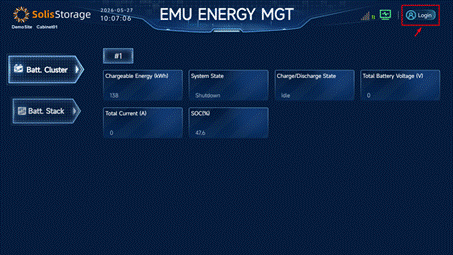
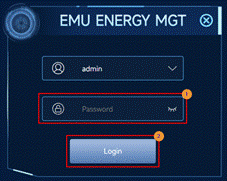
Log in using the default username admin and password 666888 or 123456. If the password has been changed, use the updated password.
After login, the main function interface is displayed:
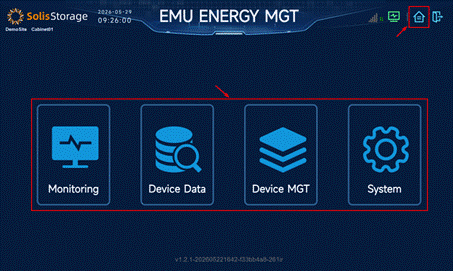
There are four main function modules in the middle of the page. Tap the “Return” button in the upper-right corner to return to the main function interface from other interfaces.
2. Configuring DHCP Mode
Steps
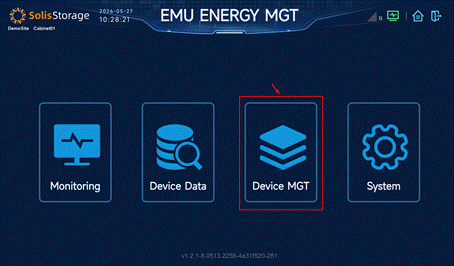
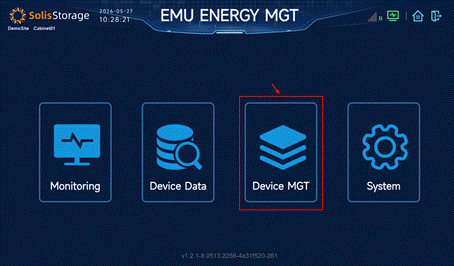
Click Device MGT.
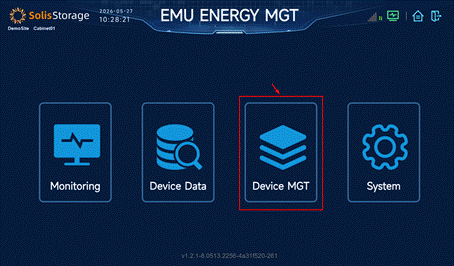
Navigate to Port ► WAN.
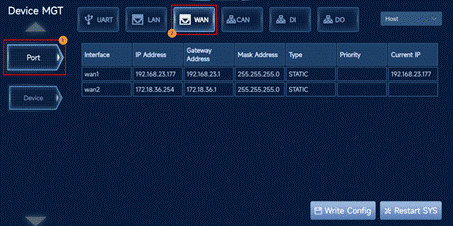
Change the WAN1 type from STATIC to DHCP, tap Write Config, and then tap Restart SYS.
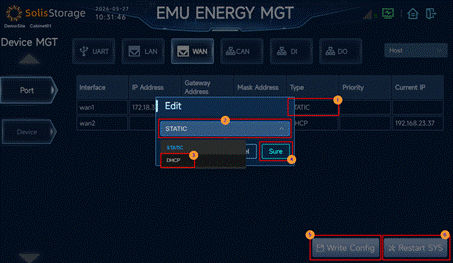
3. Configuring STATIC Mode
Steps
Click Device MGT.
Navigate to Port ► WAN.
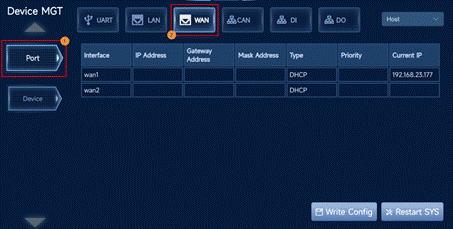
Change the WAN1 type from DHCP to STATIC.
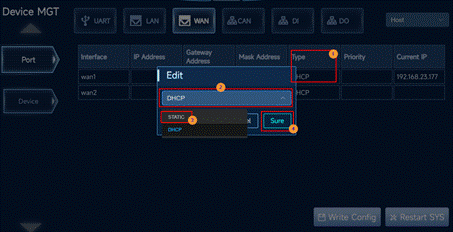
Configure the WAN1 port IP Address, Gateway Address, and Mask Address according to the on-site network.

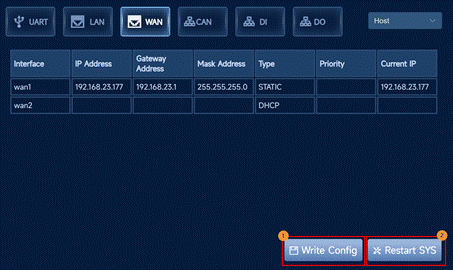
Tap Write Config, and then tap Restart SYS.
4. Checking the WAN1 Port IP
Steps
Login to the screen interface.
Tap Device MGT.
Navigate to Port ► WAN.
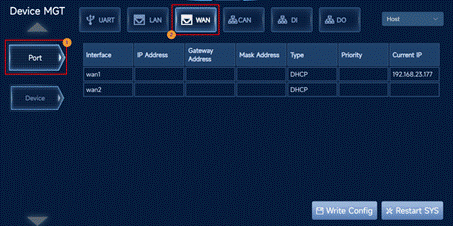
If the Type of wan1 is DHCP, record the Current IP.

If the Type of wan1 is STATIC, record the Current IP, Gateway Address, and Mask Address.