

Submit a Commissioning Request (PrimePower & EverCore)
This guide explains how to submit a commissioning request for SolisStorage C&I products (PrimePower and EverCore) via the Solis Service Portal.
Overview
To ensure a smooth commissioning process, all requests must be submitted through the Solis Service Portal. Once submitted, the SolisStorage Service Team will review your request and follow up with the next steps.
? Important: Incomplete or inaccurate information may delay your commissioning.
Step-by-Step Instructions
1. Access the Solis Service Portal
Go to the portal: ? https://solis-service.solisinverters.com
2. Create Account
- On the homepage, click “Log In and Sign Up to create your account. When you already have an account you can log in and skip this step.
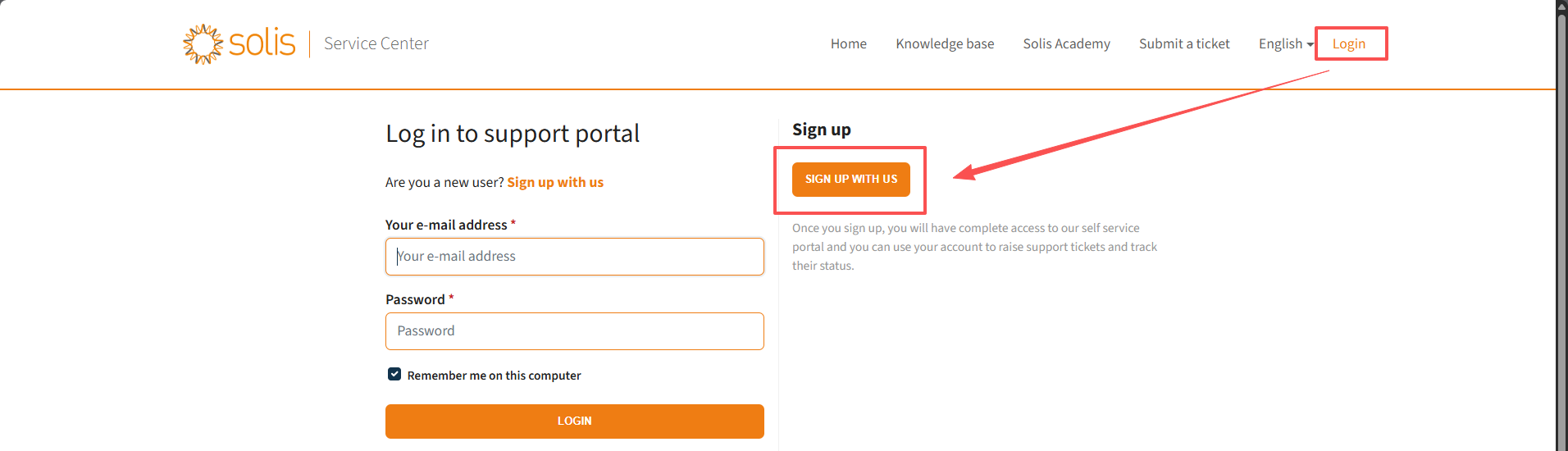
3. Open the Submit Ticket Form Menu
- Select the online ticket form menu to view available request categories.
4. Select the Correct Commissioning Form
- Choose:
“SolisStorage C&I (EverCore and PrimePower) Commissioning Form”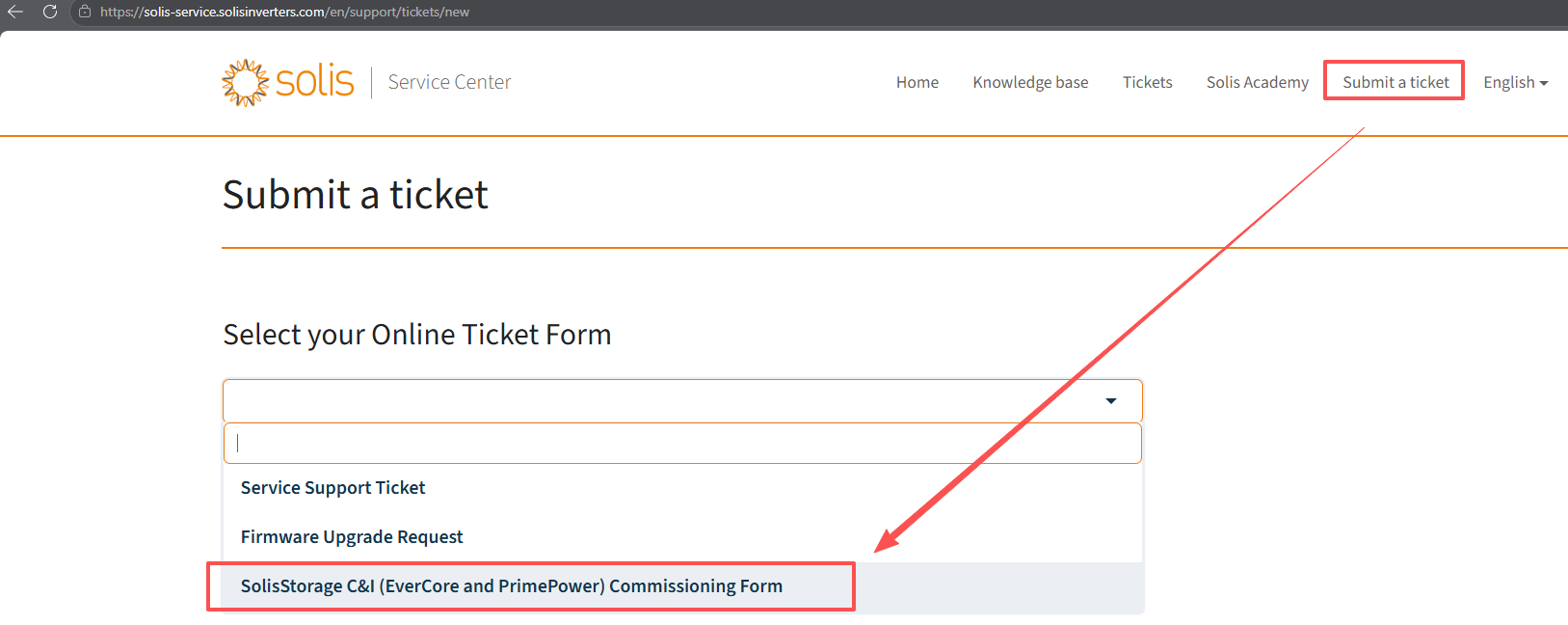
5. Complete All Required Information
Fill in all mandatory fields, including:
- System details
- Product model (PrimePower or EverCore)
- Site information
- Installer details
- Requested commissioning date
- Technical documentation (if required)
- Contact information
✅ Ensure all data is accurate and complete to avoid delays.
6. Submit the Request
- Click Submit once all sections are completed.
7. Await Confirmation
- Your request will be automatically routed to the SolisStorage Service Team.
- The team will review your submission and respond with confirmation or next steps.
Support
If you experience issues or need assistance, contact: ? euservice@solisstorage.com
✅ Best Practices
- Double-check all information before submission
- Upload required documentation in advance
- Submit your request with sufficient lead time before the desired commissioning date

Connect with Solis


